반응형

기술 공부 노트/Java&Flex 11

request.getRemoteAddr() 로 클라이언트 IP 가져오지 못할때

일단 request.getRemoteAddr() 로 했더니 서버의 내부 아이피만 가져왔다. 아흑. 문제는 was 이전 웹서버가 있었던 것! 헤더정보를 쭈~욱 출력해보니 두개가 걸렸다. Header : Proxy-Client-IP : xxx.xxx.xx.xx Header : X-Forwarded-For : xxx.xxx.xx.xx 오호~ 이거로군. request.getHeader("Proxy-Client-IP") request.getHeader("X-Forwarded-For") 요로코롬해서 IP를 가져올수 있었다. 그러고보니 이건 팁인데?! 팁 카테고리에 넣었어야 했나? 훗.
does not exist in the configuration

플렉스 프로젝트 디버깅 하려니 갑자기 이런 에러가 발생하네.. 이런적이 없었는데.. [MessagingError message='Channel 'my-amf' does not exist in the configuration.'] 엥? 왜 있는데 없다고 하는건지.. 그래서 프로젝트의 속성을 보니까... Properties --> Flex Complier --> Additional complier arguments 값이 -locale en_US 이렇게 되어있더라고.. 그래서 -locale en_US -services "services-config.xml" 이렇게 수정한 후 다시 해보니 에러가 안나네.. 훗

플렉스 빌더 3 + LiveCycle Data Services ES Express(lcds) 설치

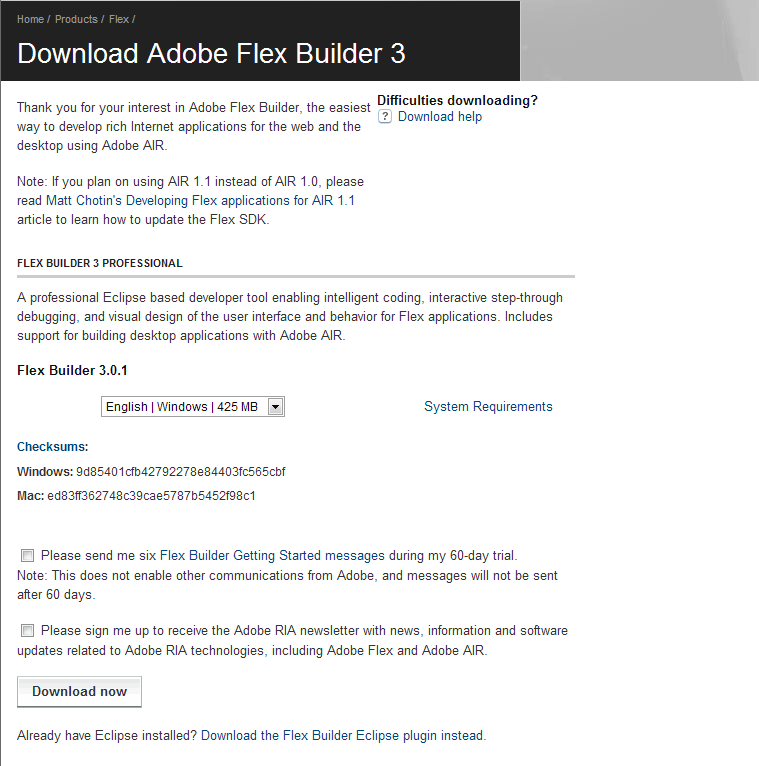
설치할 파일을 adobe.com 사이트에서 다운받는다. 플렉스 빌더 3 http://www.adobe.com/cfusion/entitlement/index.cfm?e=flex3email 플렉스 빌더는 플렉스를 좀더 쉽게 개발하기 위한 툴이다. SDK 만 다운받아도 플렉스는 개발할 수 있다. LiveCycle Data Services ES Express(lcds) https://www.adobe.com/cfusion/tdrc/index.cfm?loc=ko&product=livecycle%5Fdataservices lcds 같은 경우에는 adobe 계정이 있어야한다. 간단하게 등록하고 받도록 한다. 두 파일을 다운받았으면 설치를 시작한다. 우선 플렉스 빌더 3 부터 설치한다. 전부다 디폴트로 설치했다. (계..

Flex - Alert창 아이콘 변경(버튼크기, 메시지 이상)

global { modalTransparencyBlur: 0; modalTransparency: 0.8; modalTransparencyColor: black; modalTransparencyDuration: 500; } /* 버튼 스타일 */ .roundedAlertButtons { cornerRadius: 10; fontWeight: bold; color: black; } /* Alert메시지 스타일 */ .alertMessageStyle{ fontSize: 15; fontWeight: bold; color: yellow; } /* Alert 스타일*/ Alert{ messageStyleName : "alertMessageStyle"; buttonStyleName : "roundedAlertButto..

Java - 1

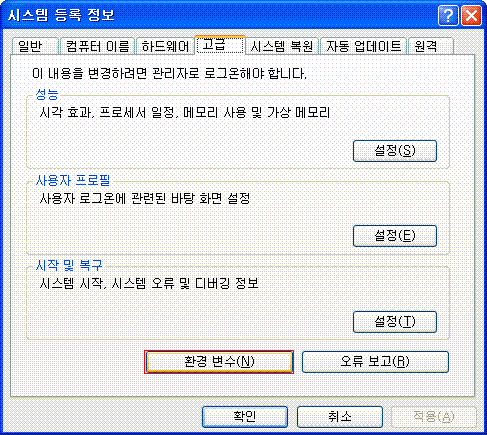
우선 개발 환경을 만들어야하겠지. 1. http://java.sun.com/javase/downloads/index.jsp 에서 JDK 를 다운로드한다. Java SE Development Kit 을 줄여서 JDK 라고 해. 현재 Java 6 까지 있는걸로 확인했음. 나는 참고로 1.5버전으로 설치했어. 2. http://www.eclipse.org/downloads/ 에서 이클립스를 다운로드한다. 이클립스는 자바를 쉽게 프로그래밍하기 위한 개발툴이야. 3. JDK를 설치하고 난 후 환경변수를 추가한다.(공백없이 추가할 것, 앞쪽에 추가하면 좋다) 환경변수는 어디서 추가하는 거냐. 제어판에 보면 시스템이라고 있을거야. 클릭하면 고급탭에 환경변수라는 버튼이 보이지? 과감하게 클릭해봐. 위와 같은 창이 떠...

반응형